

Images Gallery
Showcase your visuals in Image Gallery to efficiently manage and organize product and user images. Enhance identification, operations, and team collaboration with a clear visual layer across inventory and POS processes.
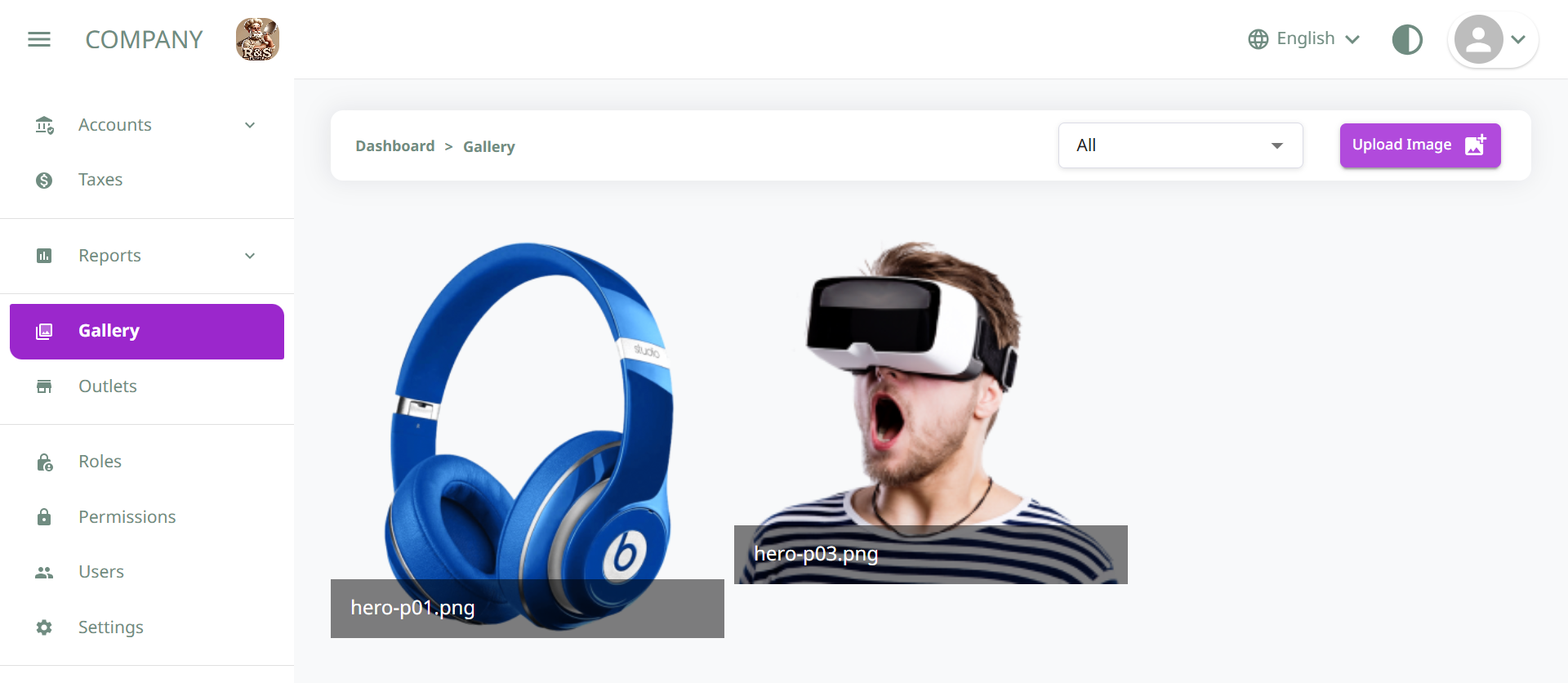
Organize and access product and user images effortlessly with category filters, instant thumbnails, bulk uploads, and on-the-fly previews for a seamless visual workflow:
Easy Image Management
Upload and manage images for each product directly within the inventory.
Quick Identification
Product visuals make it easier for staff to recognize items instantly, especially during billing or stock lookup.
Add During Item Creation
Product images can be uploaded while adding or editing an item, making the process seamless.
Profile Personalization
Add images to staff profiles for clearer identification across the system.
Team Coordination
Supports team collaboration by making it easier to recognize staff, especially in larger teams or multi-location environments.
Add During User Setup
User images can be uploaded when creating or updating user accounts.
See It In Action
Experience our Image Gallery firsthand with interactive demos-upload, filter by category, and preview images in real time to streamline your visual workflow.
Detailed Features
Dive into advanced image management tools-from category-based filtering and bulk uploads to instant thumbnail previews and role-based access-for a seamless, organized visual workflow.
Easy Image Management
- Intuitive upload flow with a category dropdown (User vs. Product)
- Drag-and-drop or file-picker support for fast uploads
- Bulk upload capability to add multiple images at once
- Instant thumbnail generation for quick visual scanning
Quick Identification
- Clear filename, size and type overlays on each thumbnail
- Filter gallery to show only User or only Product images
- Search bar to locate images by name or category
- Hover preview enlarges images without leaving the page
Add During Item Creation
- Upload product images directly from the 'New Item' form
- Automatic association of uploaded images with the product record
- On-the-fly validation of dimensions and file type
- Real-time preview of how images will appear in listings
Profile Personalization
- Prompt users to upload avatars during account setup
- Crop and resize tool to ensure consistent aspect ratios
- Default placeholder icons until a custom image is added
- One-click re-upload to update profile photos anytime
Team Coordination
- Role-based access controls govern who can upload or delete
- Shared gallery view so teams see the same image library
- Activity log tracks who uploaded or modified each image
- Comment threads on images for collaborative feedback
Add During User Setup
- Onboarding wizard includes an optional avatar upload step
- Support for JPG, PNG and SVG formats out of the box
- Instant thumbnail creation for fast profile loading
- Fallback to a branded default avatar if none is provided
Powerful Features for Your Business
Leverage our Image Gallery's robust toolkit-category-driven uploads, bulk operations, instant thumbnails, and role-based permissions-engineered to optimize your visual asset management.

Choose 'User' or 'Product' from the dropdown to ensure images are organized into the right gallery automatically.

Drag and drop multiple files at once and get instant thumbnail previews for faster visual management.

Filter by category or search by filename to pinpoint the exact image you need in seconds.

Set granular permissions and audit logs so only authorized team members can upload, edit, or delete images.

Crop, rotate, or replace images on the fly with built-in editing tools and live previews.
Explore Key Features
Categorized Uploads
Choose 'User' or 'Product' from the dropdown to ensure images are organized into the right gallery automatically.